Blog
A blog that lives in your store.
Write posts in Store Admin, credit an author, file them under categories and tags, and publish now or at a time you choose.

Posts
Every post in one list.
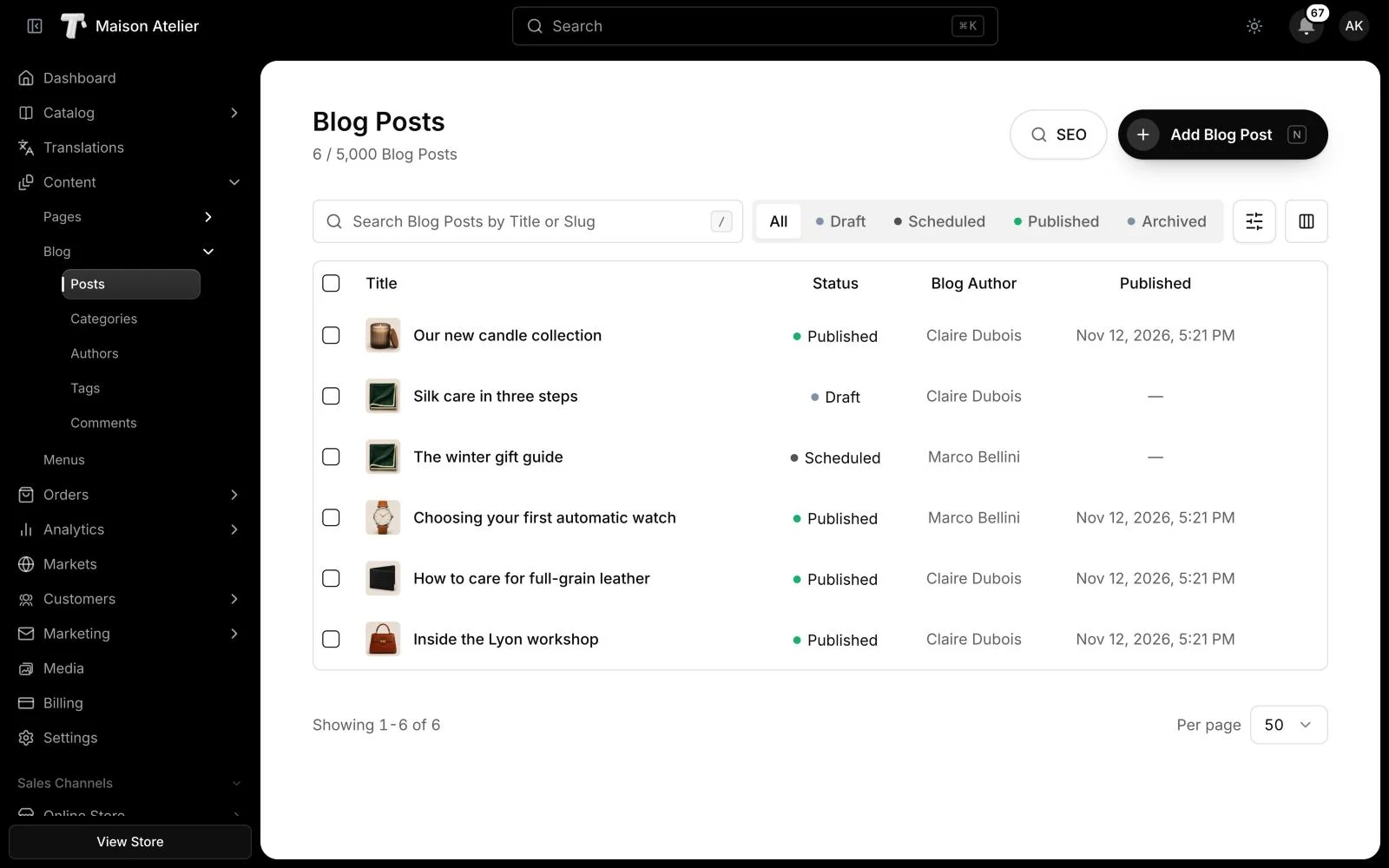
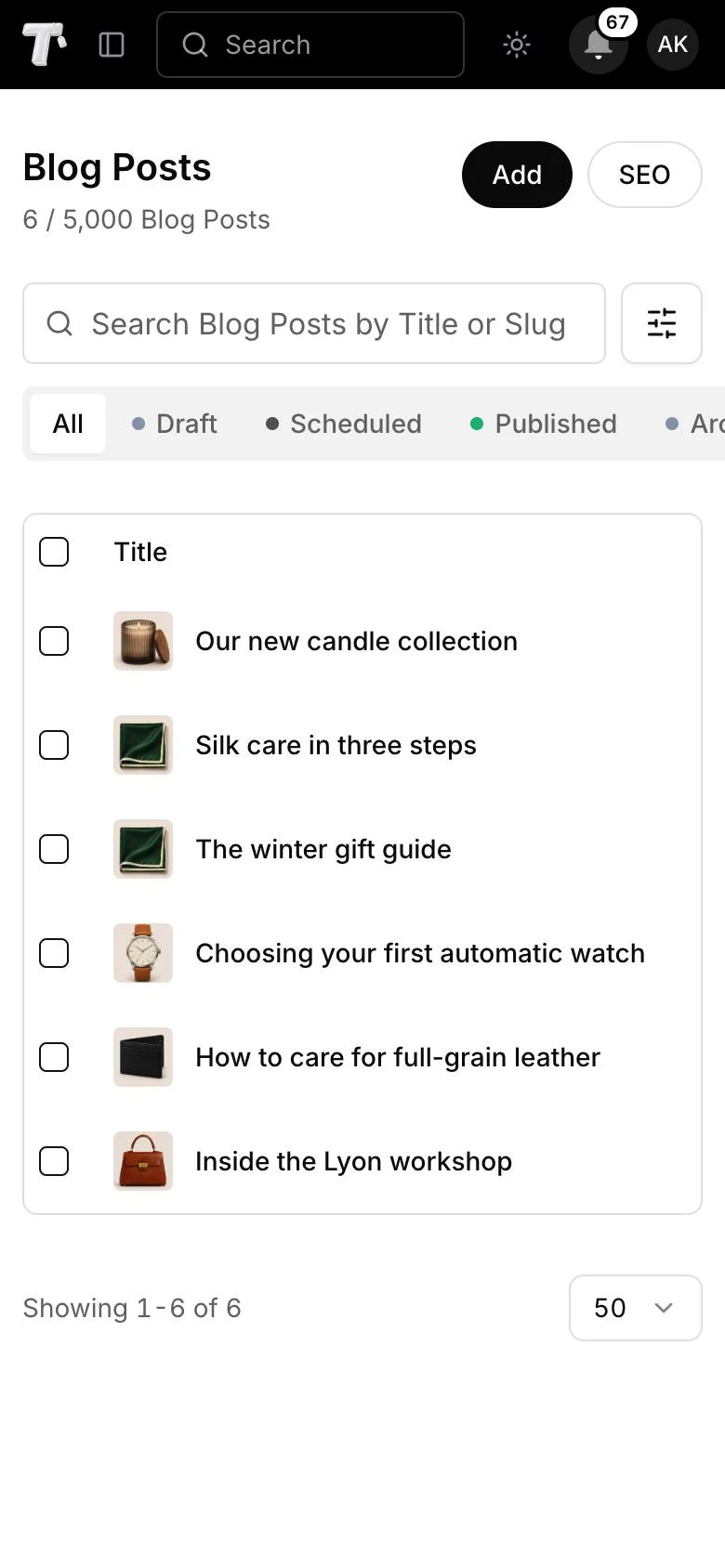
Content › Blog › Posts lists your posts with their status, author and publication date. Filter by status, author, category, tag or publication date, and change many posts at once.

Four statuses
Draft, Scheduled, Published and Archived. Only published posts are on your storefront.
Search and filters
Search by title or slug, then filter by author, category, tag and a publication date range.
Columns you choose
Title, status, author and publication date show by default. Add categories, comment count, publish date, created and updated.
Change up to 500 at once
Publish, move to draft or archive the selected posts, add or remove categories and tags, or delete them.
Your allowance, in view
The page shows how many posts you have against your plan’s limit, and stops new posts at the limit.
SEO for the blog page
Set the search title and description of your blog’s main listing page from the same screen.
Editor
Write, schedule and file each post.
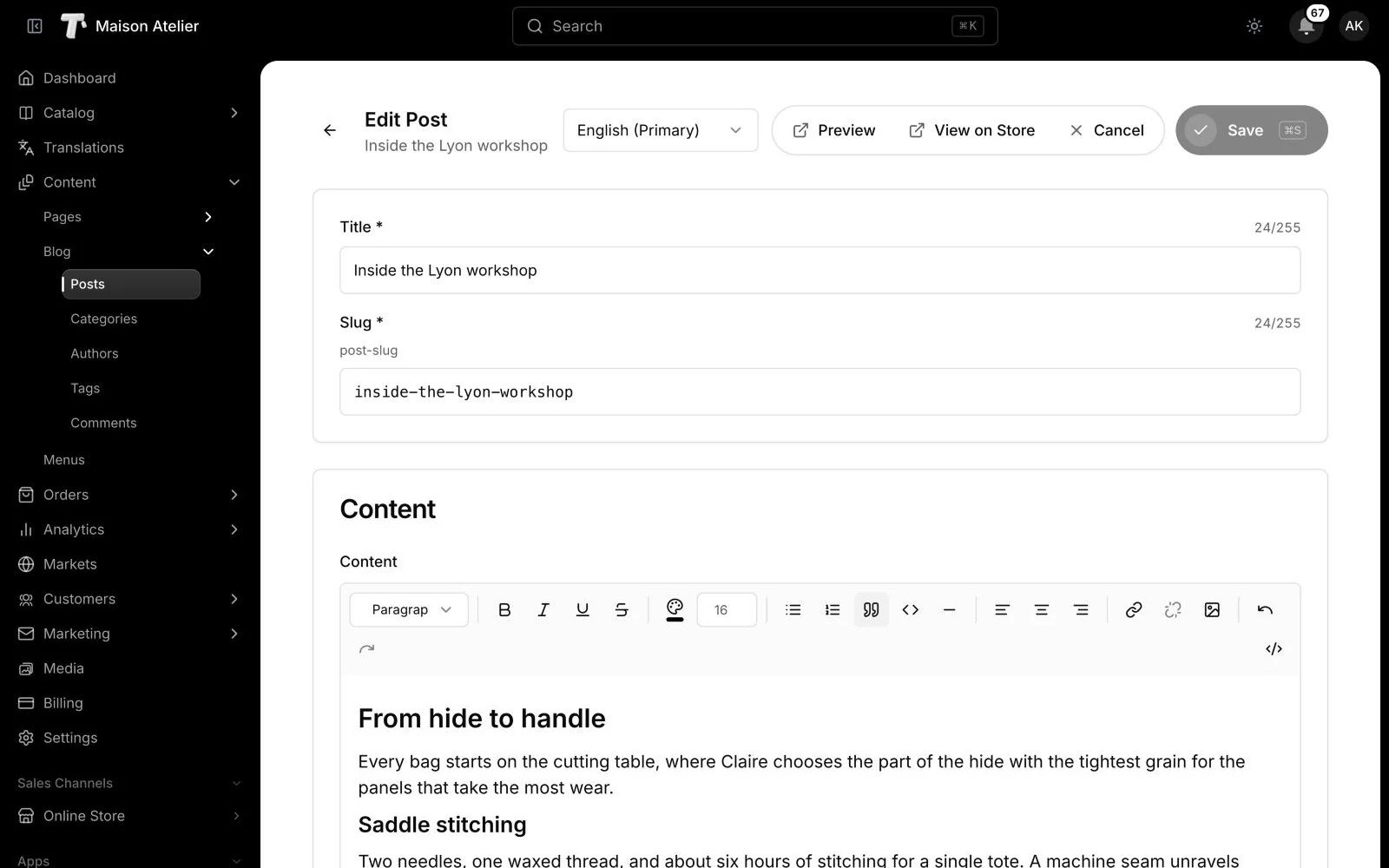
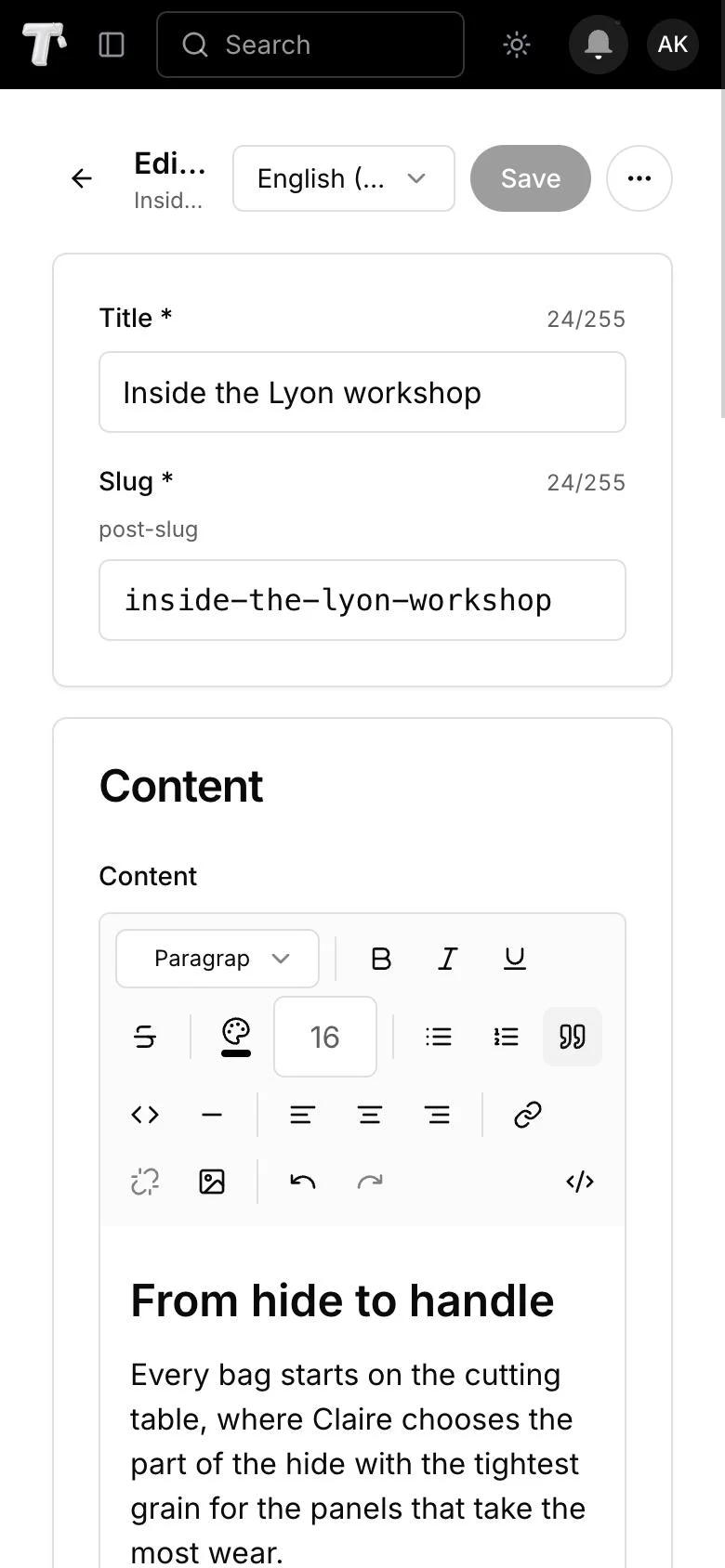
The post editor keeps the writing first, then the publishing choices: status and publish date, template, author, featured image, categories and tags.
A full rich text editor
Headings, lists, links, quotes, tables, code, text colour and images from your media library. Content is cleaned to safe HTML when you save.
Excerpt and SEO fields
A short excerpt for listings and feeds, plus an SEO title and description for search results and link previews.
Scheduled publishing
Choose Scheduled and a future publish date in your store’s time. The post goes live on its own at that time.
An author on every post
Each post needs a blog author. Profiles hold a name, slug, bio and avatar, and the same profile is used on every post.
Your URL, with a redirect
Leave the slug empty to generate it from the title. When you change a saved slug, Store Admin offers a redirect from the old address.
Private preview
Preview opens a saved post on your storefront through a private link that lasts five minutes, before anyone else can see it.
Theme templates
Pick which of your theme’s post templates renders the post.
Translations
Translate the title, slug, content, excerpt and SEO fields into each store language by hand, by CSV or with AI translation.
Storefront
What shoppers see.
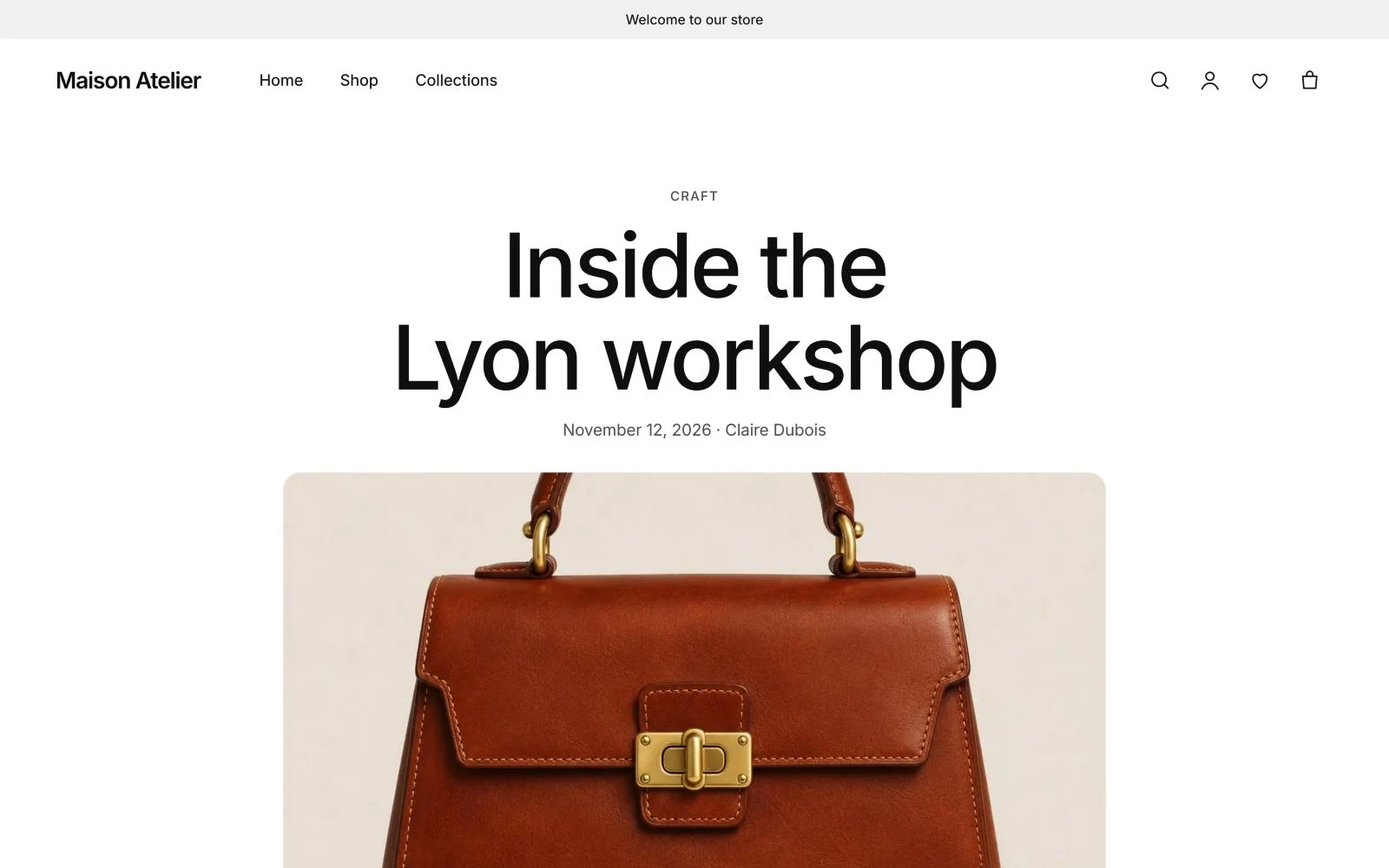
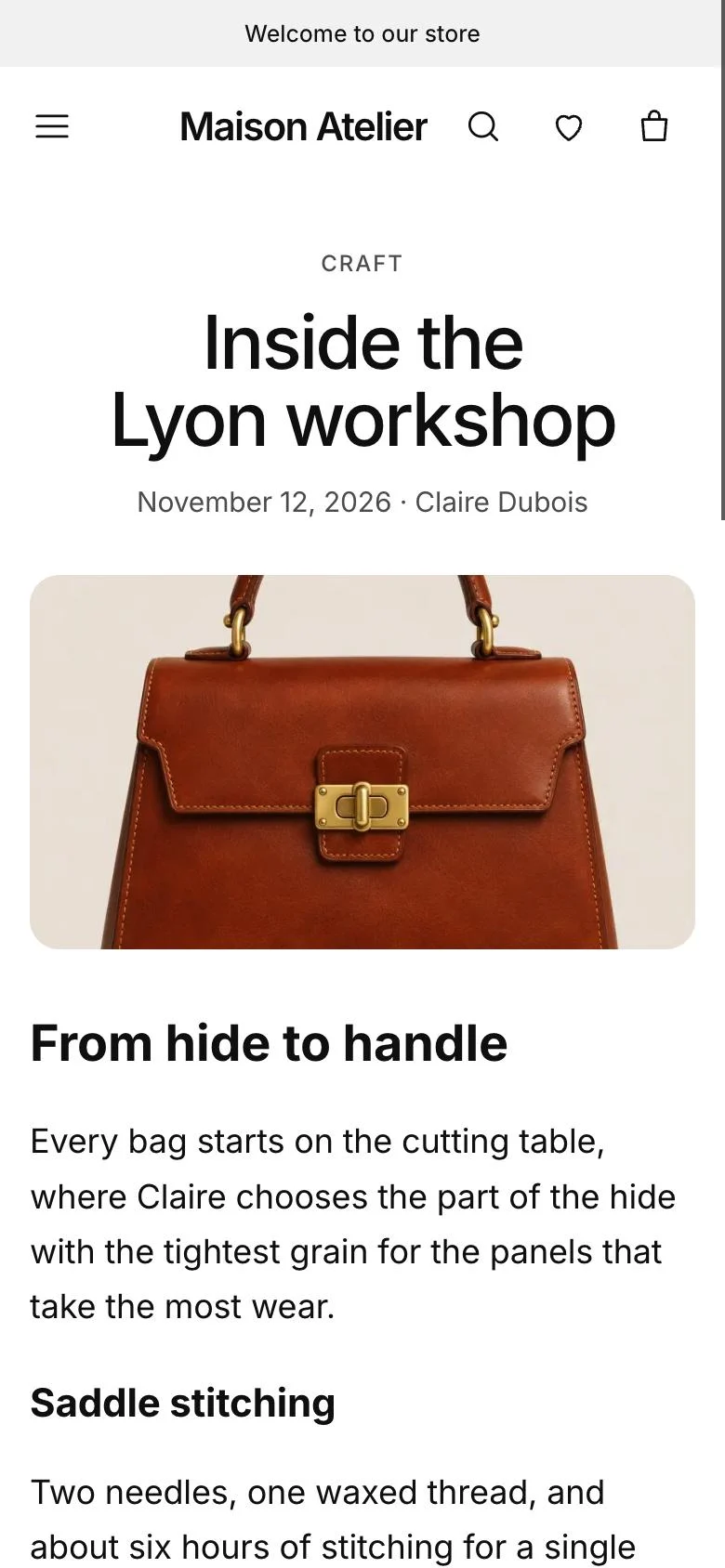
A published post gets its own page on your storefront. Your theme decides the layout; every post page receives the author, categories, tags, featured image, related posts and comments.
Clean addresses
Posts live at /blog/post-slug, the list at /blogs and categories at /blog-category/category-slug. You can rename these prefixes in URL settings.
RSS and Atom feeds
Every blog has feeds of its latest 100 posts at /blogs/feed.xml and /blogs/feed.atom.
Author pages
Each author has a page listing their posts at /blogs/authors/author-slug.
Monthly archive
Themes can list published months and link to /blogs/archive/year/month.
Topics
Categories have their own pages with a description, SEO fields and template. Tags filter the blog list at /blogs?tag=tag-slug.
Related posts
Up to three published posts that share a category or tag, newest first.
Search
Posts can appear in your storefront search, and the Store Admin search finds them by title or slug.
Comments
Comments, on your terms.
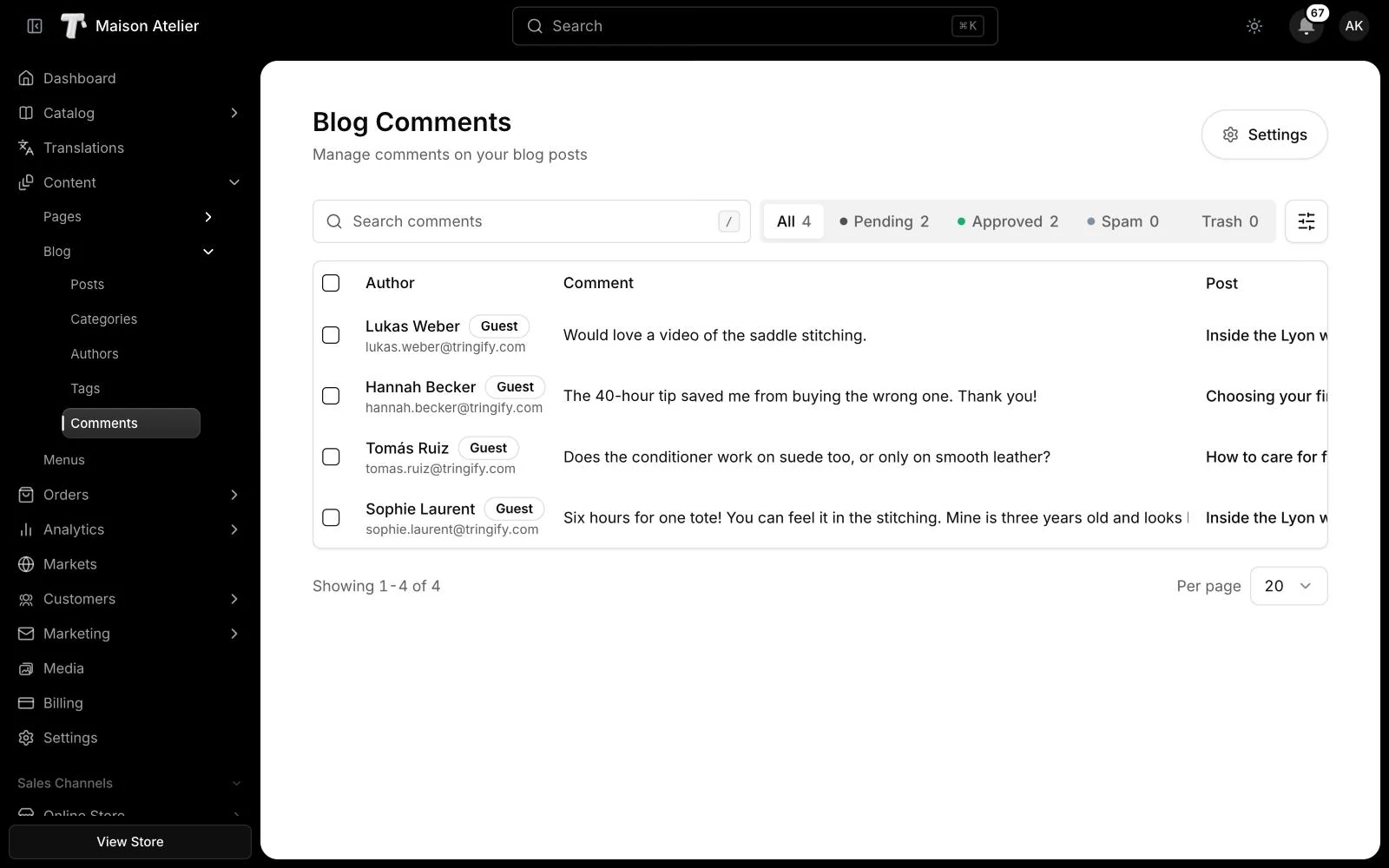
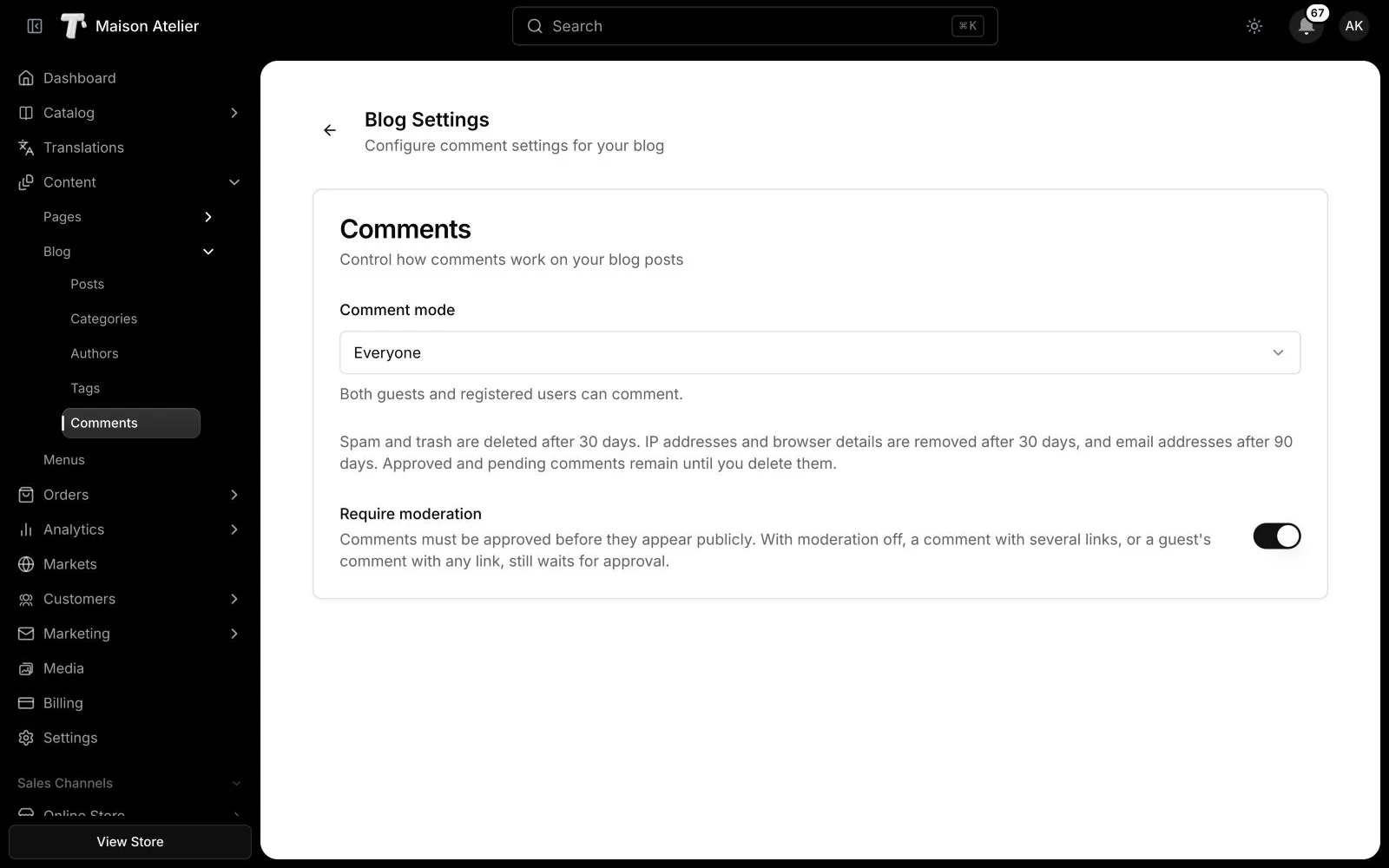
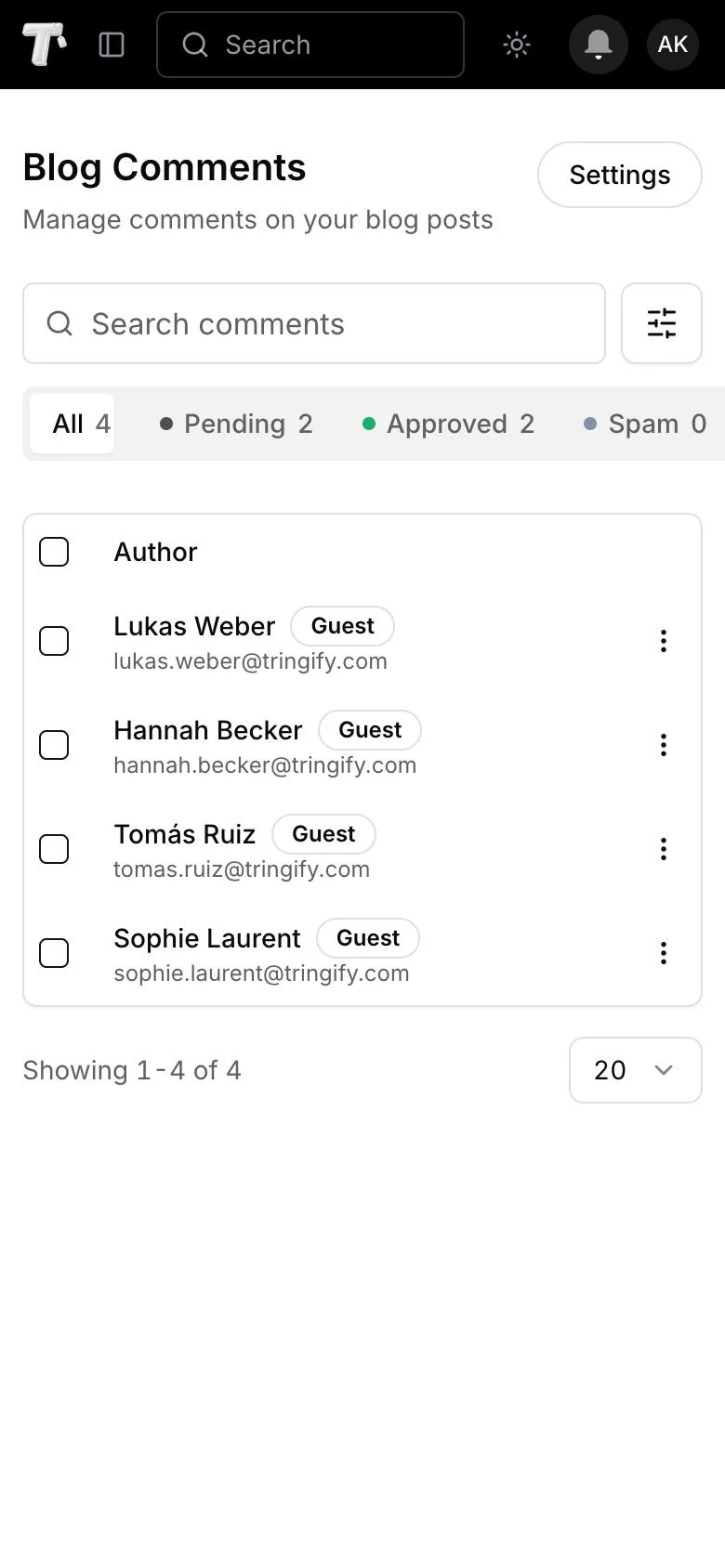
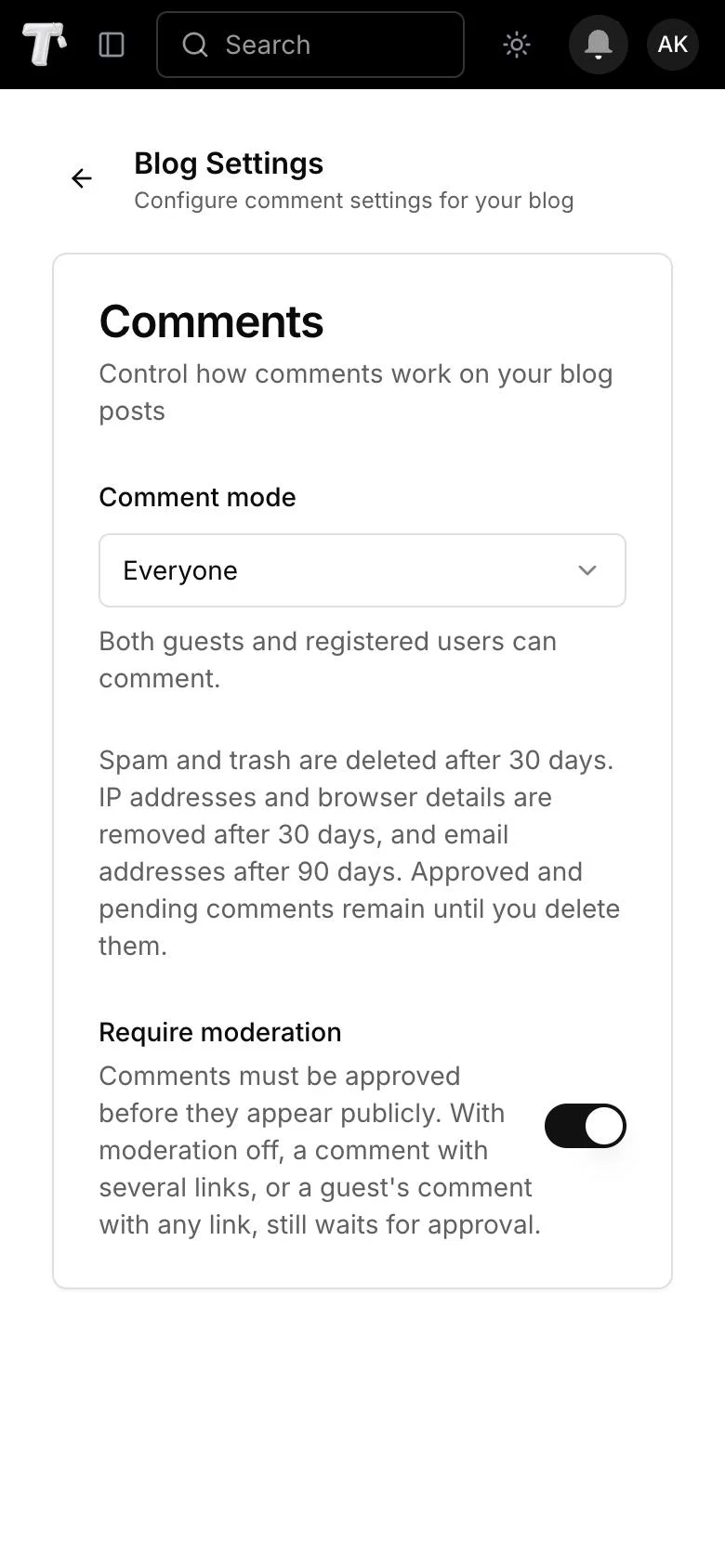
Blog Settings decide who can comment: everyone, registered users only, or nobody. With moderation on, a new comment waits in Content › Blog › Comments until you approve it.
Three comment modes
Everyone, Registered users only, or Disabled. New stores start with comments open to everyone and moderation on.
Visitors and customers
Visitors give a name and an email address, which is never shown. Signed-in customers comment under their account name.
Four comment statuses
Pending, Approved, Spam and Trash. Approve, mark as spam or move to trash one by one or in bulk, or delete permanently.
Off means hidden, not deleted
Disabling comments hides existing comments everywhere. Turn them back on and they return as they were.
Spam clears itself
Comments in Spam or Trash are deleted 30 days after they were moved there.
Flood protection
Each shopper can post only a few comments an hour, within an hourly limit for the whole store.
Around the blog
Around the blog.
Categories, tags and authors are managed on their own pages, and the blog plugs into the rest of Tringify.
Blog categories
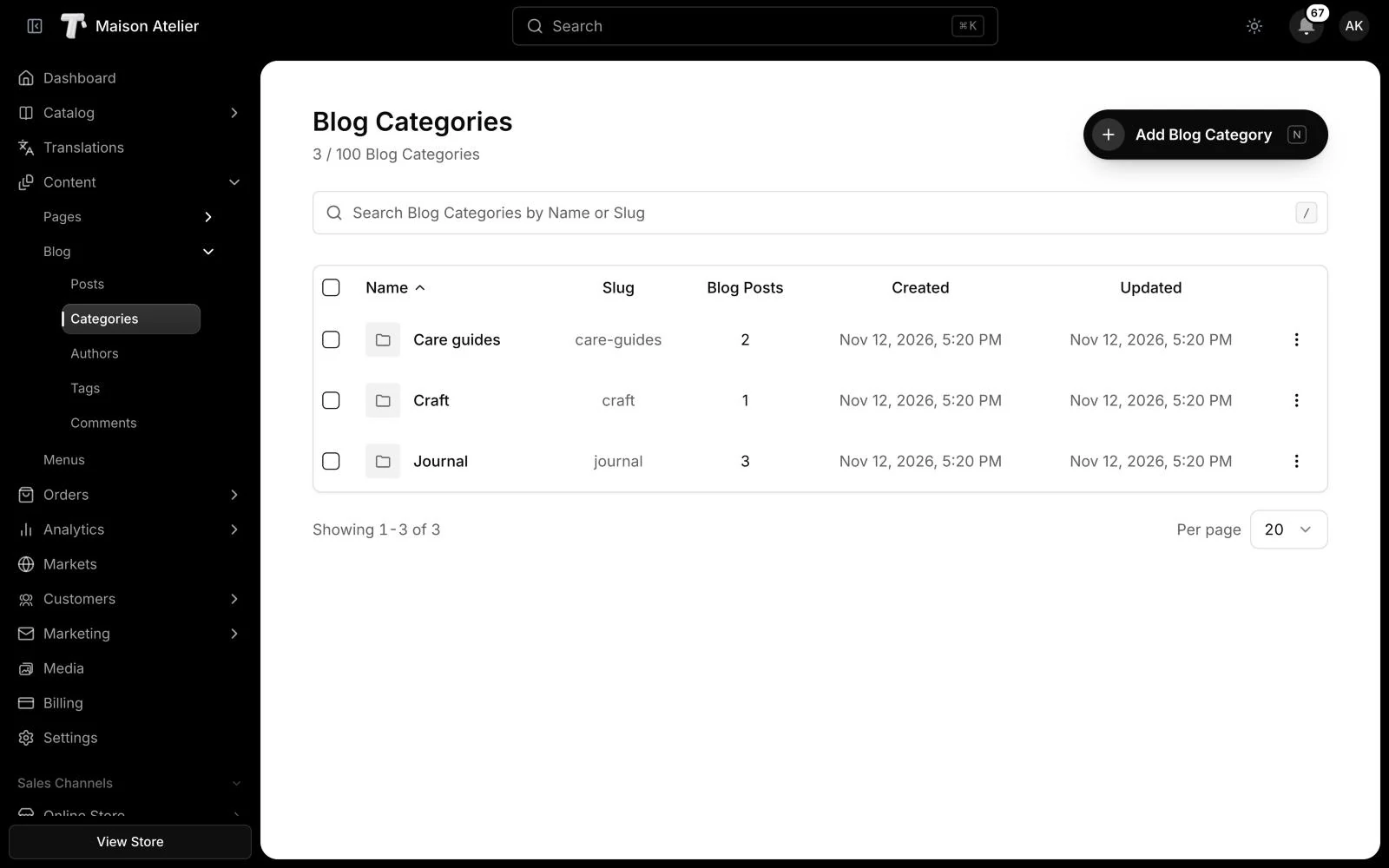
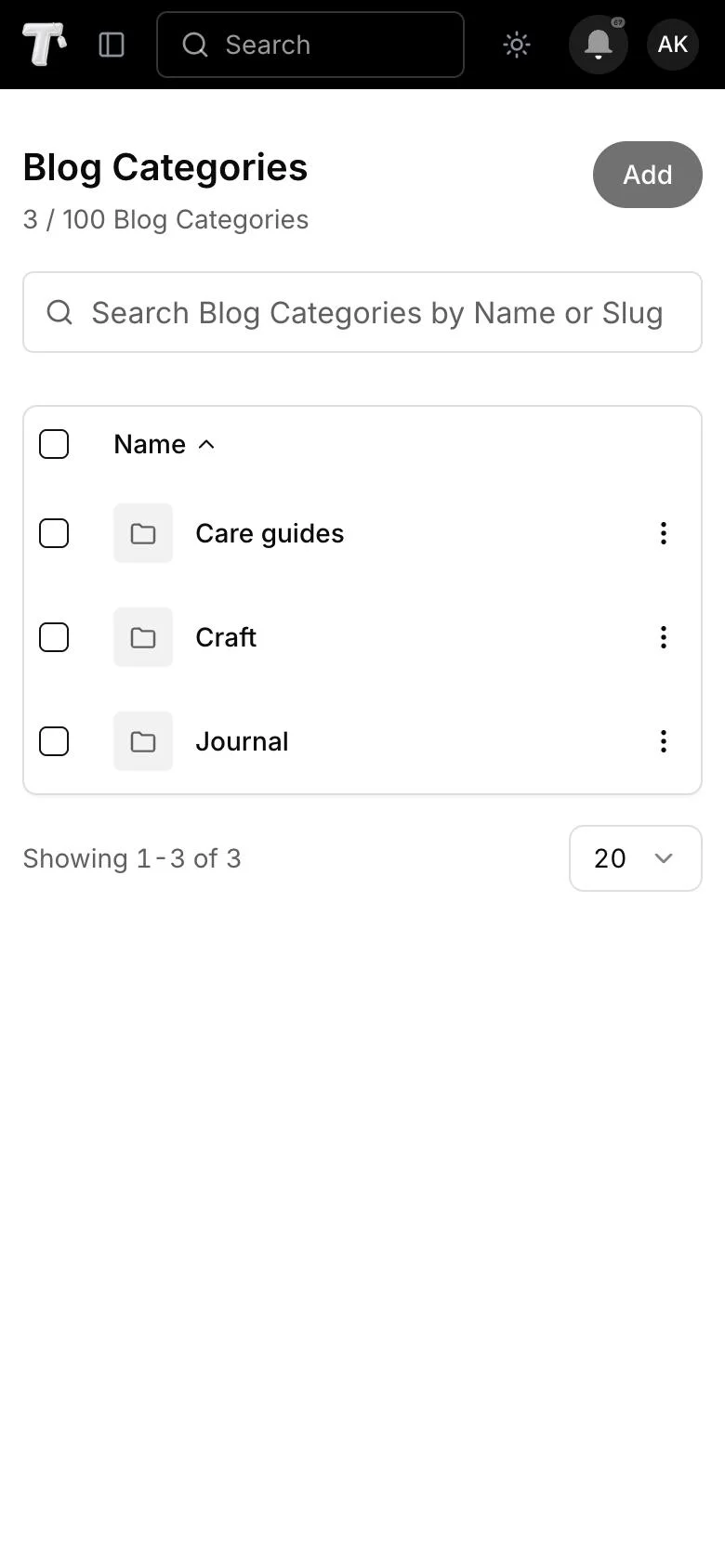
Name, slug, description, SEO title and description and a template. A category in use by posts can’t be deleted until they are moved.
Blog tags
Name and slug. Create a tag right from the post editor; deleting one removes it from its posts.
Blog authors
Deleting an author never deletes their posts: you choose another author to take them over.
Source backup
Export every post as a CSV and import one to add or update posts. Imports run in the background.
Store API and webhooks
Apps can manage posts, categories, tags, authors and comments through the Store API and subscribe to blog webhooks.
Up to 20 categories and 20 tags a post
Titles run to 200 characters, excerpts to 500 and the content to 100,000.