Markets
Sell to more countries from one store.
Group countries into markets. Each market sets the currency every country pays in, and its own tax, shipping, duties, payments, discounts and checkout rules.
Create your store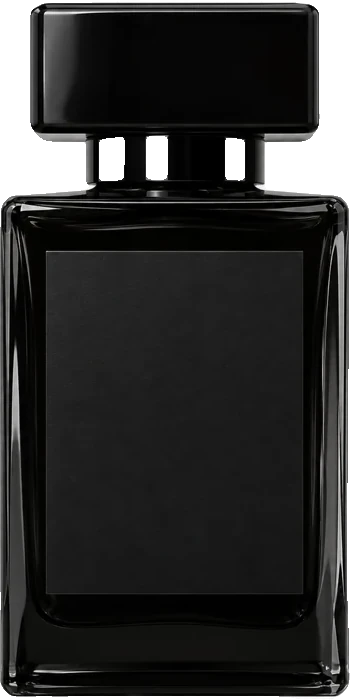
Your product
Noir eau de parfum, 100 ml · Base price ZAR 3,307.99
Tap the front card to see how it adds up. · Example settings. You choose the rates, rounding and methods for each market.

Every market in one list
A market is a group of countries you sell to the same way. Each country can be in only one market, so there is always one answer to what a shopper in that country gets.
One market per country
Two markets never serve the same country. A country already in a market can't be picked for another, and Add Market is unavailable once every country is assigned.
A primary market
Your first market becomes the primary market. It always stays active, can't be deleted, and serves shoppers whose country isn't known.
Up to 300 markets
A store can have up to 300 markets, each with a unique name. The list shows how many you use.
Live when created
A new market is active as soon as you create it. Shoppers already in checkout move to it at their next step, with a notice that prices were updated.
Pause a region
Turn a market off on its General tab: its countries stop checking out and its settings are kept. The primary market can't be turned off.
In Store Admin, or with any AI
Create and manage markets in Store Admin, or ask any AI assistant to do it through MCP.
Every regional setting on one market
Open a market and its tabs hold everything that changes by region. Each setting applies to exactly that market's countries.
Tax
Collect tax or not, tax-inclusive or tax-exclusive prices, the shipping or billing address as the tax basis, and tax classes, zones and rates. A state's zone wins over its country's.
Shipping
Simple mode: free, a flat rate, or free above a threshold. Advanced mode: zones, methods and rate tiers by weight, price, item count or per item.
Duties
Per-country de minimis thresholds and duty rates by country of origin, with HS-code rates. Collect duties at checkout or show them as payable on delivery.
Payments
Choose which connected payment providers the market offers and in what order, an optional discount for paying online, and cash on delivery for the whole market or by zone.
Discounts
Six merchandise discount types, by coupon or automatic, with the market's own stacking and priority settings.
Checkout
Minimum and maximum order amounts, required or optional checkout fees, and how Gift Cards and store credit apply.
Currencies, rates and rounding
Your base currency is set when the store is created and is part of every market. With multi-currency on your plan, add more currencies in Settings › Currencies, each with its own exchange rate and rounding.
Automatic or manual rates
Automatic rates update daily from market rates. Manual rates use the value you save. Transaction fees and billing always use market rates.
Rounding you choose
No rounding, up, down, to .99, .95, .50 or a whole number. It applies only to converted prices and never makes a paid item free.
Exact prices when you want them
Enter a product's price in a currency and shoppers pay exactly that. Your base currency is never rounded.
Which market a shopper gets
Tringify works out the shopper's country, finds the one active market that serves it, and prices everything in the currency assigned to that country.
France is in Europe, which assigns it EUR.
- Market
- Europe
- Currency
- EUR Euro
- Ceramic Mug
- €15.99
- Checkout
- Available
1. The address
A country address such as /de-de, or a country's own domain, sets the country.
2. The shopper's choice
A country picked in the storefront's country selector is kept for the shopper's session.
3. Location
Otherwise the country comes from the shopper's IP location.
4. The primary market
When no country is known, the primary market applies.
The delivery address at checkout
A delivery address in another country moves checkout to that country's market and currency.
Countries without a market
Shoppers can browse in your base currency, without market rules, but checkout is refused.
Languages and addresses come from your storefront
Markets decide prices and rules. Your storefront decides which languages each country is served in, and its address: a path such as /fr-ca on your domain, or a domain of its own.