Taxes
Tax, worked out right everywhere you sell.
Set zones, classes and rates once for each market. Checkout picks the right lines for every address, product and price, whether your prices include tax or not.
Shipping to
Thailand
- tax zones per market
- 200
- tax classes per market
- 80
- rate lines per zone and class
- 10
- rate lines per market
- 500
- business tax ID types
- 6
In Store Admin
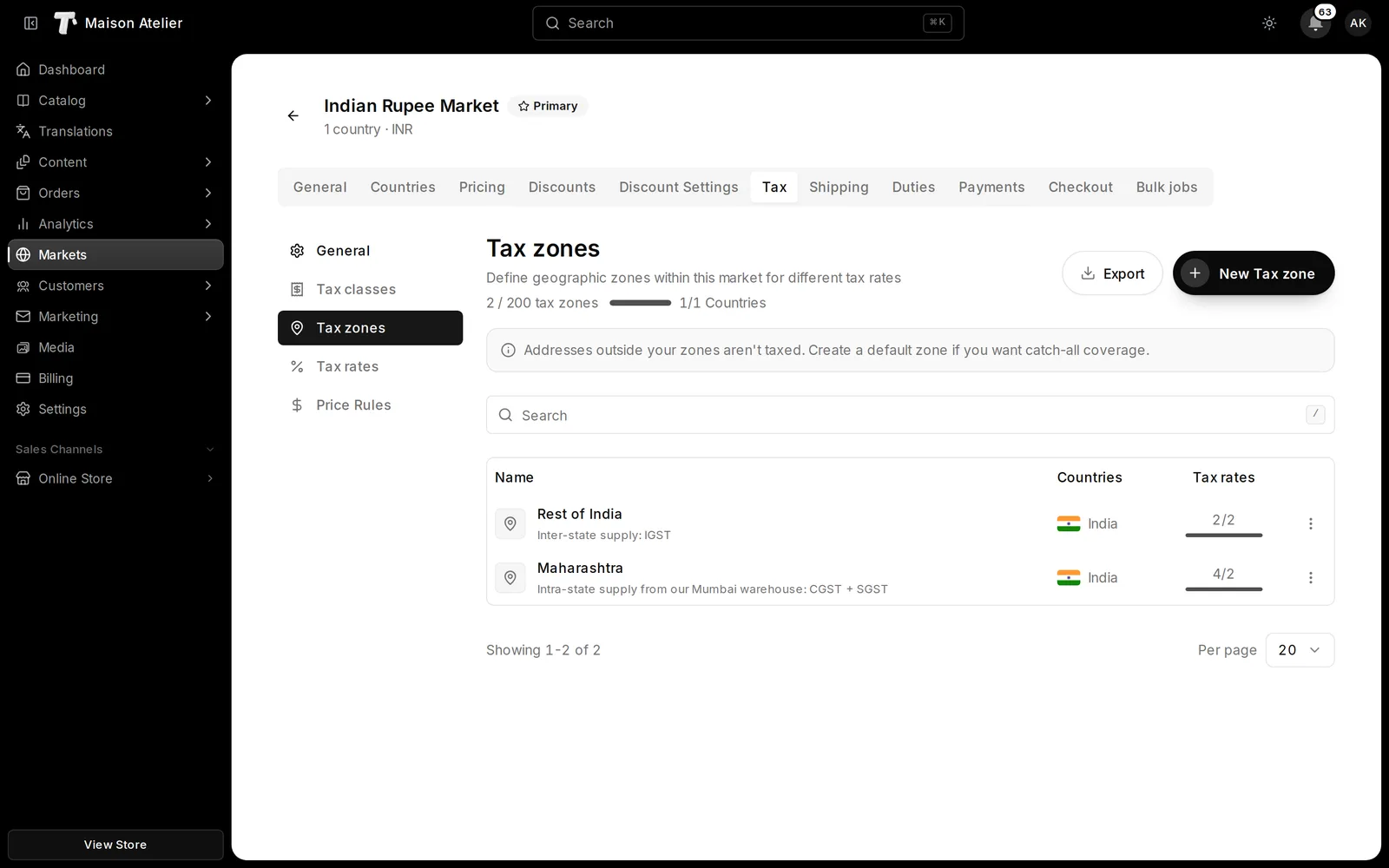
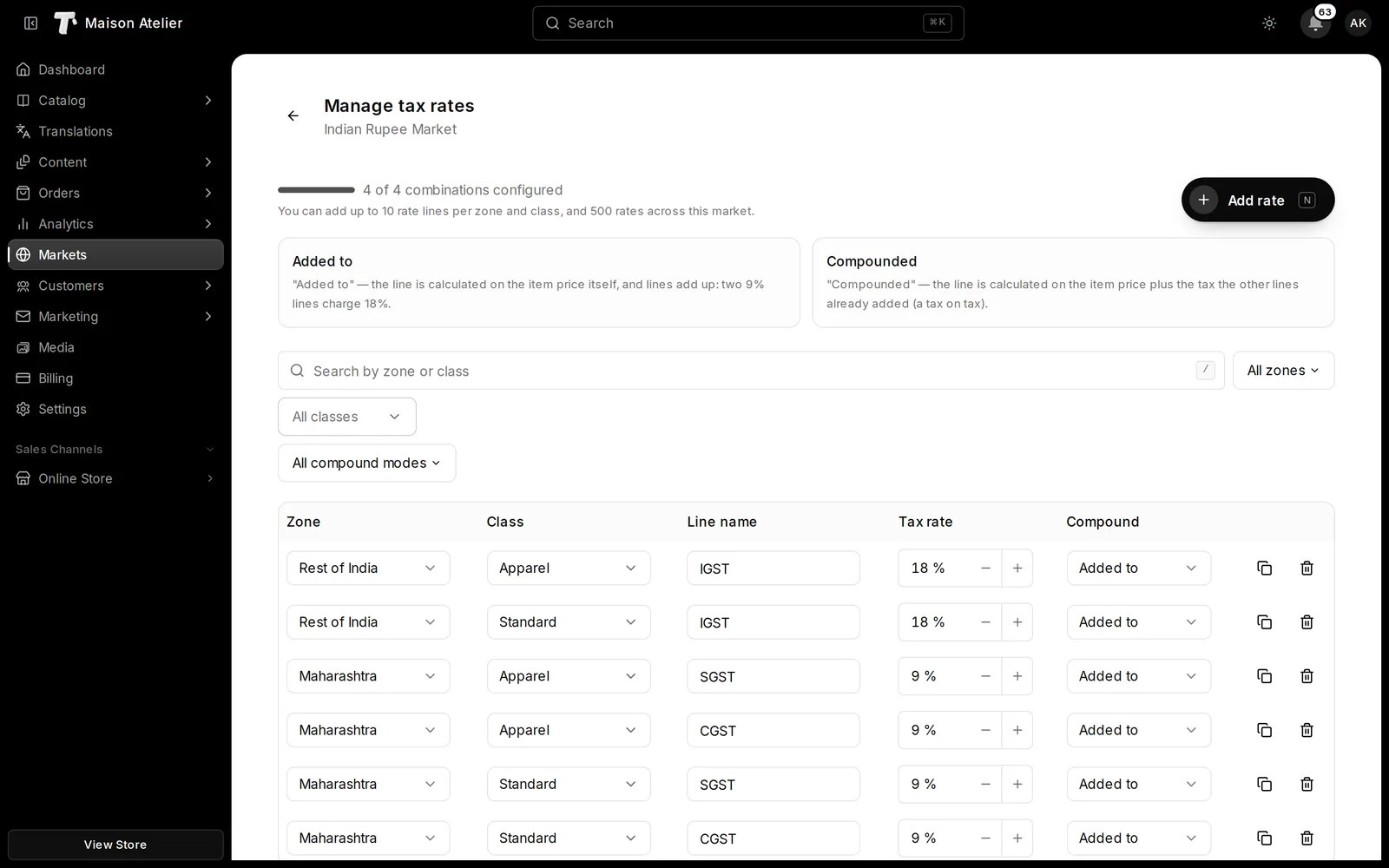
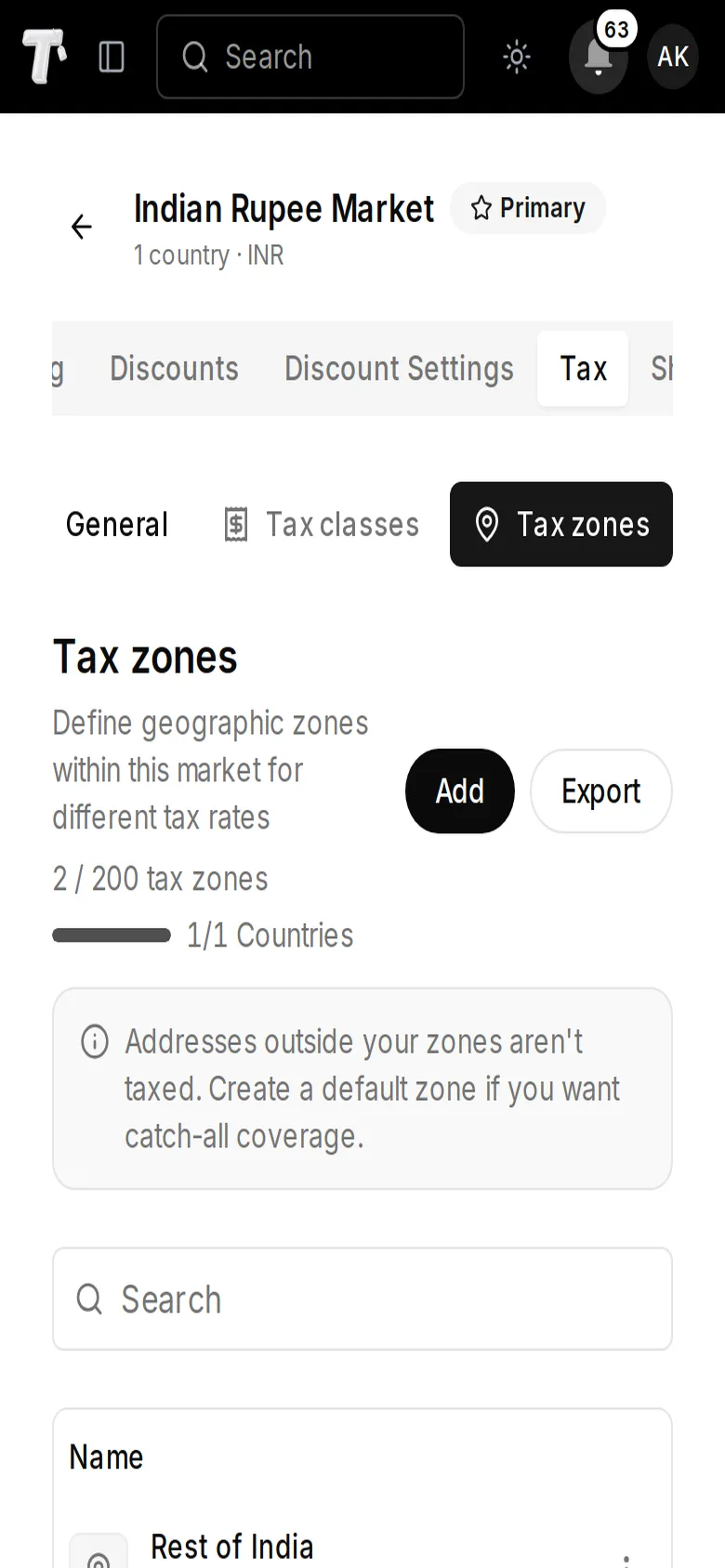
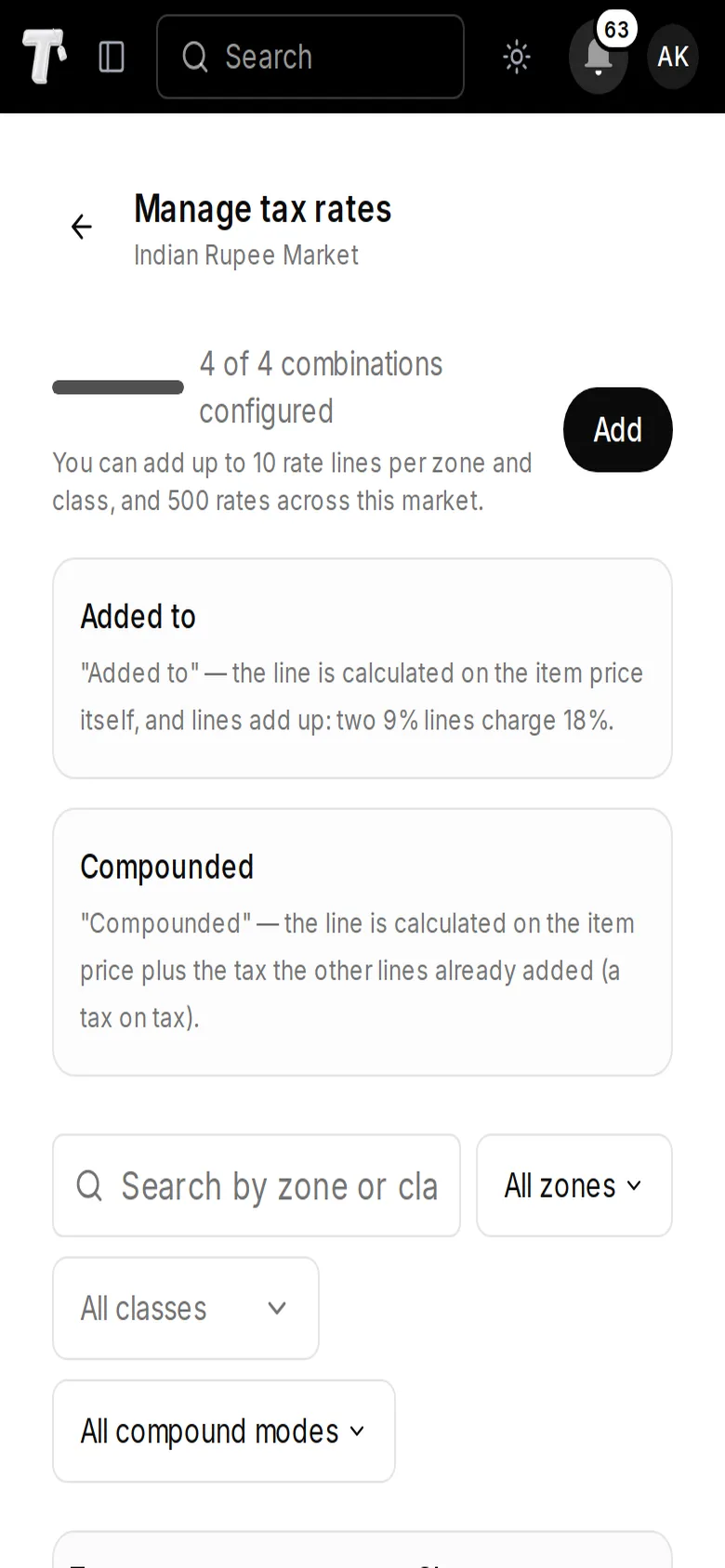
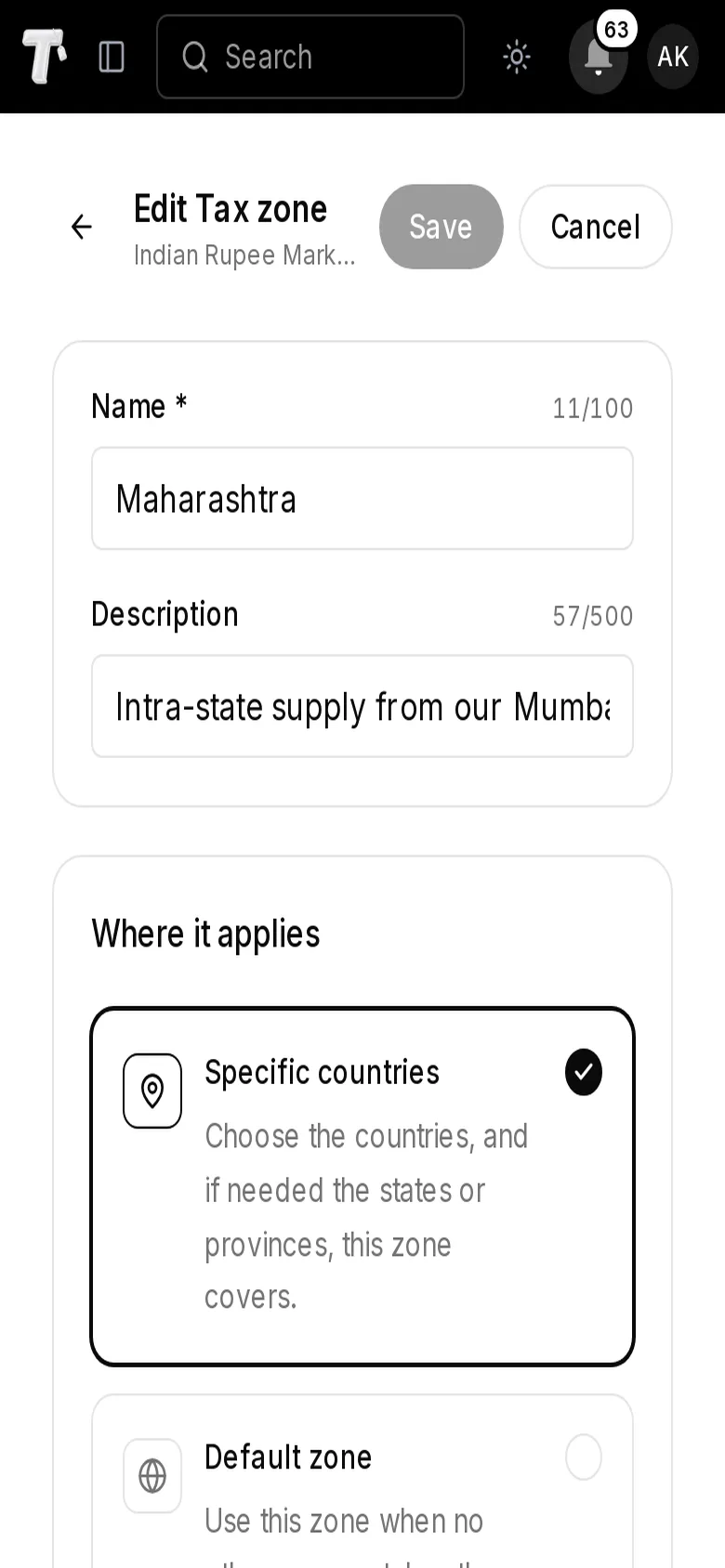
Zones, classes and rates, side by side.
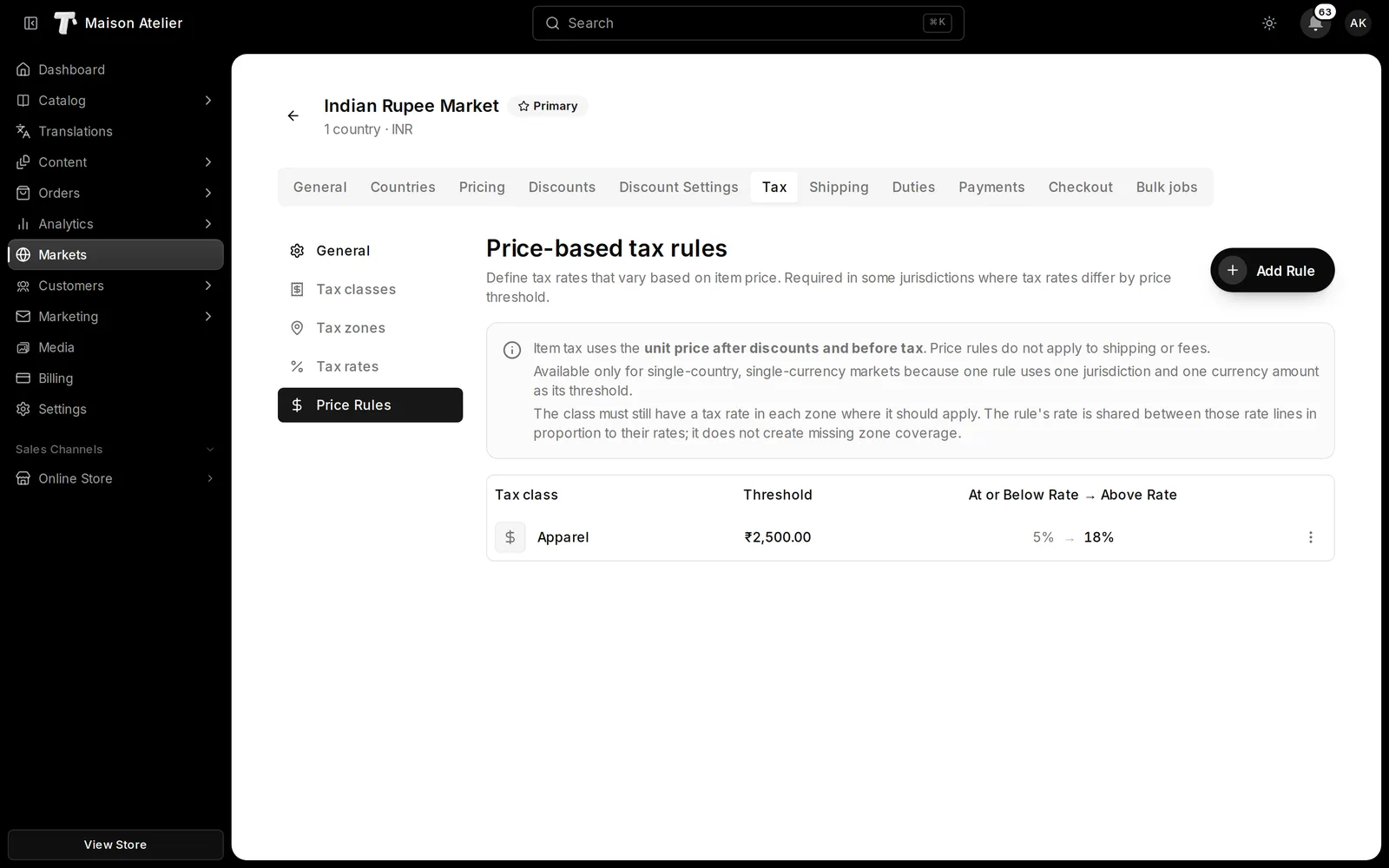
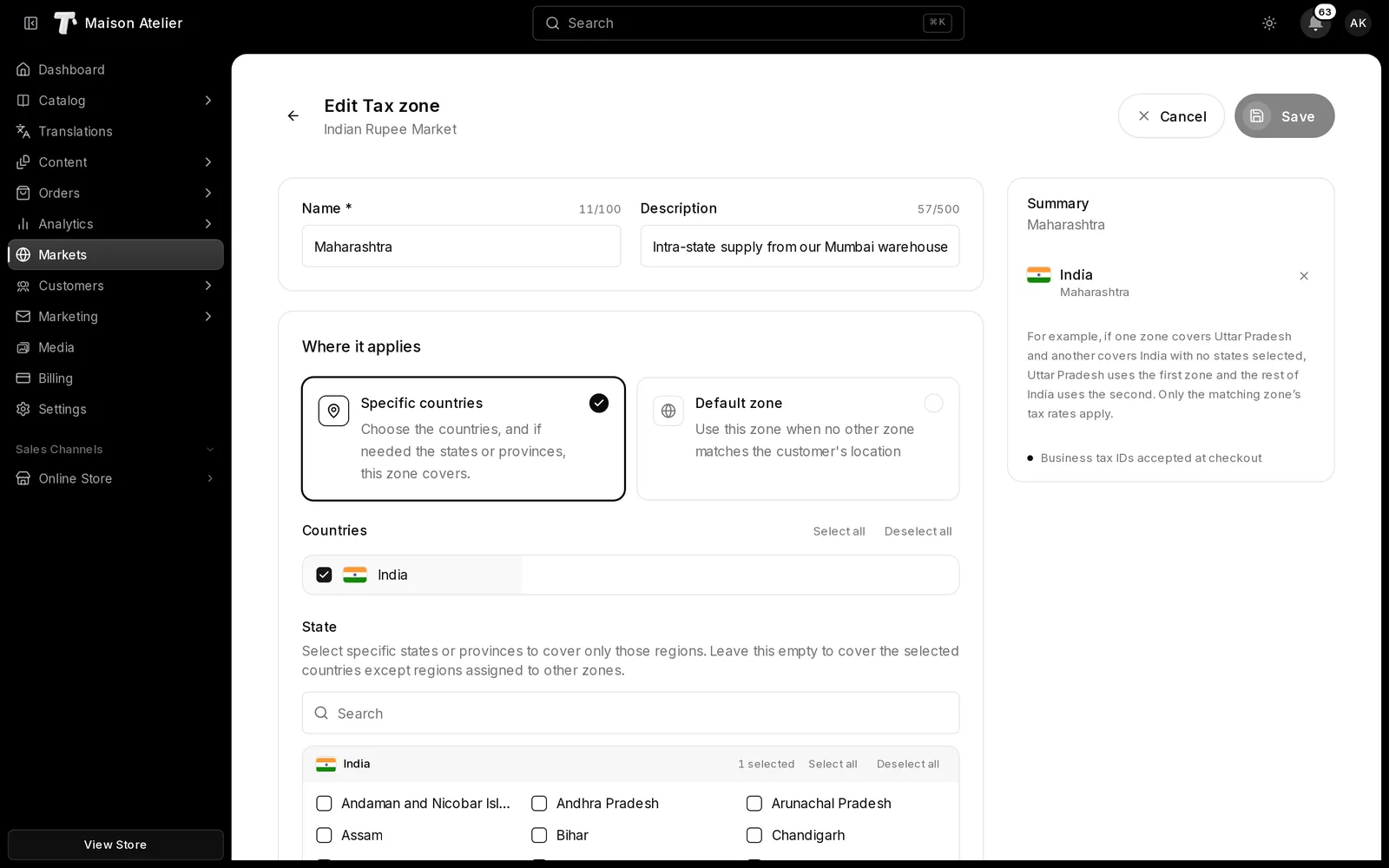
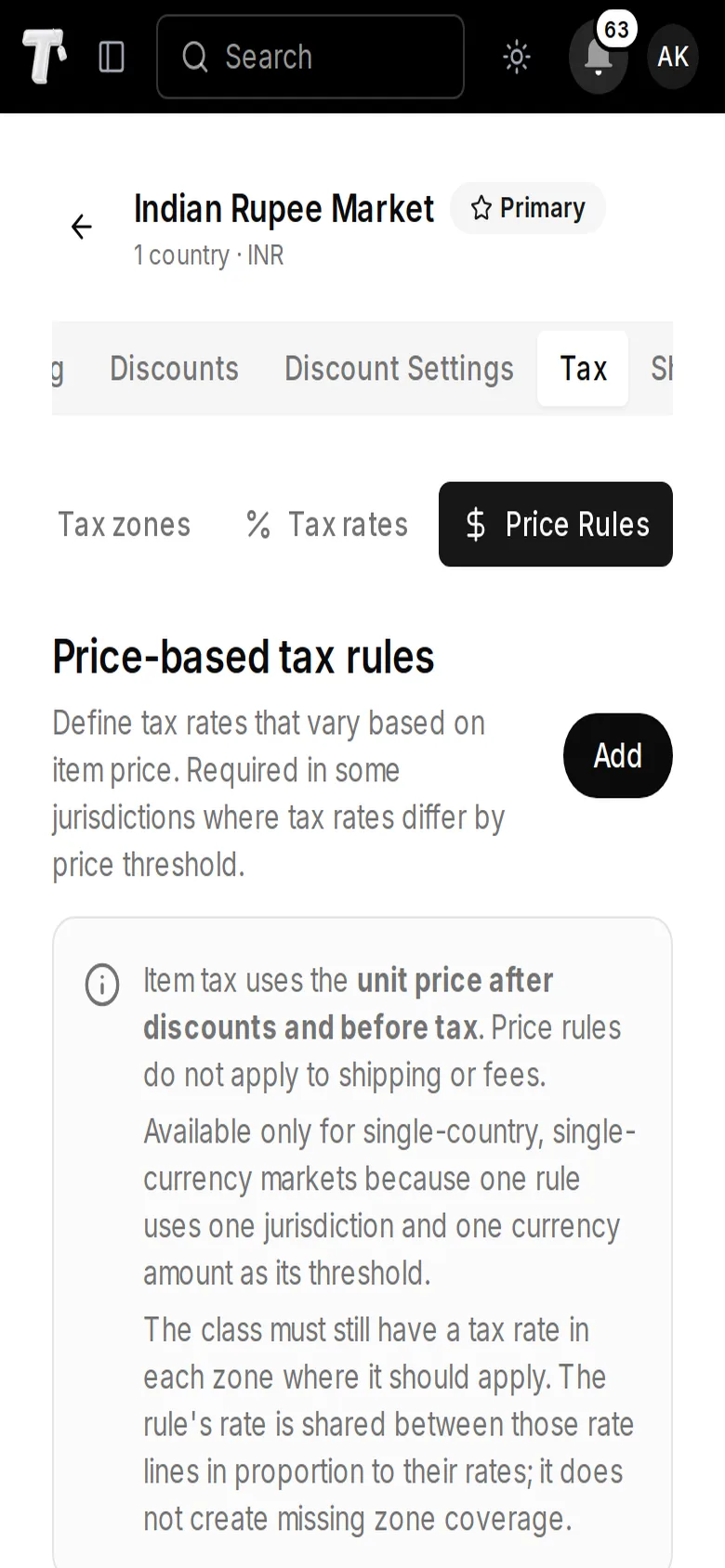
Draw zones from countries and states, sort products into classes and fill in the rate lines where they meet. Price rules and business tax IDs sit on the same screens.

At checkout
Every order taxed the way you set it.
Checkout works out each line from the address, the product’s class and its price, with or without tax in the price.
Rates that follow the price
Split one class at a price: items at or below it take one rate, items above it another.
Apparel · Item priceTHB 2,520At or below THB 3,5000%Above THB 3,5007%Prices with tax or without
Enter prices with tax included or added on top, and choose what shoppers see. Checkout always charges the full tax.
THB 3,745 = THB 3,500 + THB 245 tax
You keep THB 3,500 and owe THB 245 in tax.
Business buyers, handled
Ask for a tax ID at checkout in the zones you choose. A valid ID can take tax to zero, or keep it and print the ID on the invoice.
DE123456789
Valid format
0% tax€0Tax on tax, when it applies
Lines add up side by side, or a line is worked out on the price plus the tax before it.
Added to
10% + 5%15%Compounded
10%, 5% on the price plus the first tax15.5%




Example rates. You set the zones, classes and rates for each market.
Settings
And everything around it
The settings that make the rates above fit your business.
Shipping or billing address
Choose which address sets the rate: shipping for physical goods, billing for digital ones.
A default zone
Catch every address no other zone matches, or leave those addresses untaxed.
A default class
Products without a tax class use the market's default class, so none is sold untaxed by accident.
Coverage at a glance
See how many zone and class combinations have rates, and which are still missing.
Rates by CSV
Import and update rate lines from a CSV that references your zones and classes.
Duties apart from tax
Import duties are set per destination country, separately from tax.
Each market its own
Every market keeps its own zones, classes and rates.
- Explore International